Written report explanations
Make sense of supported medical reports, test-result wording and unfamiliar terminology.
Available now · My Medical by Trustwell Safety
Understand your health information. Put your questions into words. Prepare for your next healthcare conversation.
My Medical is live. Ask health questions, explore written reports and keep useful text notes on your phone.


Available now on the App Store and Google Play
Free to download. Eligible Android accounts receive one free first explanation, then choose a paid plan. The current iPhone app offers Plus monthly. Your store confirms any purchase; downloading does not subscribe you. Educational AI information. Check medical decisions with your healthcare professional.
One place to understand and prepare
Explore My Medical’s released features. The app is available on the App Store and Google Play; access depends on your age, country, device and app version.
Make sense of supported medical reports, test-result wording and unfamiliar terminology.
Ask in your own words and explore follow-up questions to discuss with a healthcare professional.
Turn confusing information into useful questions and notes for your next visit.
Talk through what is on your mind and explore coping ideas and sources of human support.
Eligible adults can request descriptive notes about visible skin features, with consent and feature restrictions.
Keep completed explanations and useful notes together in an encrypted journal on your phone.
AI can make mistakes. These features provide educational information, not a confirmed diagnosis, treatment decision or monitored medical service.
Your information. Your choice.
Get explanations informed by the report notes and health history you choose to share with your AI Health Coach.
Save copies of written medical reports in an encrypted library on your phone. Check the notes against your originals, then choose the context for each question.
You control the context. Saving to the library does not itself send a report to AI. A coach question sends your selected notes and optional history to OpenAI after consent. Original files are sent only through a separate report-explanation request.
The AI Health Coach and encrypted report library are available in the current Android app. The public iPhone app offers health conversations, written-report explanations and the text journal; features depend on your installed version. The interface example uses fictional information. The AI runs through an external service, not entirely on your phone. The library has no app cloud sync or recovery service: keep your original documents.
Get it on Google Play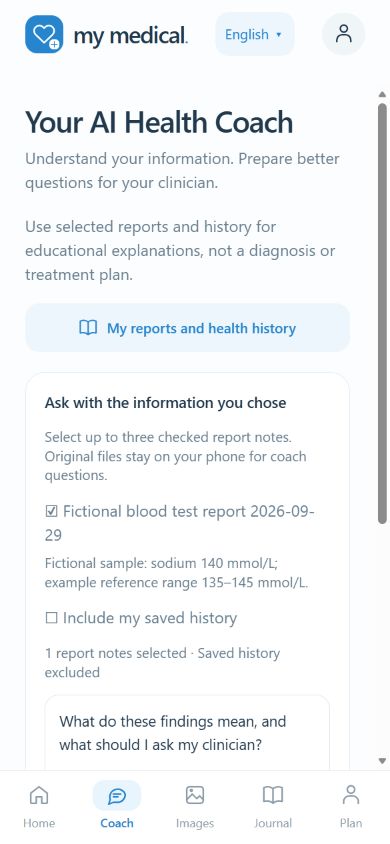

Meet your AI companion
A friendly face for your questions. Oscar is My Medical’s AI companion, here to help you explore health information in everyday language and prepare questions for your healthcare professional.
Oscar represents AI-generated information. Check medical decisions with a qualified healthcare professional.
See how My Medical worksFrom information to preparation
Write the health question or medical wording you would like explained.
Enter report wording or add a supported written report. Remove unnecessary personal details and review the consent information.
Explore everyday explanations of difficult terminology. AI can misunderstand a report or miss important context.
Keep useful text notes and questions in your phone’s journal for your next appointment.
Check the explanation with a qualified healthcare professional and make medical decisions together.
A look inside
Real My Medical interface examples. Layouts depend on your installed version. No patient records are shown.
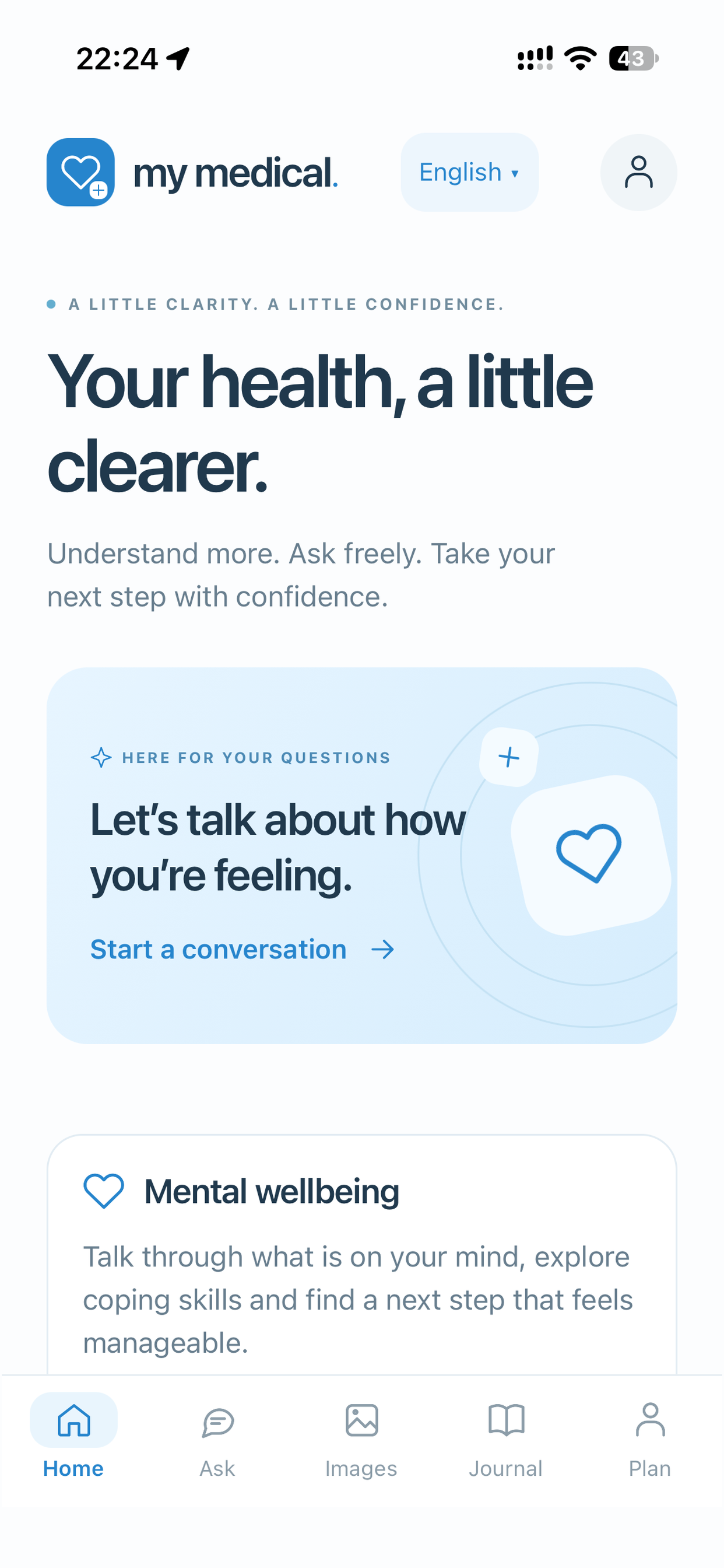
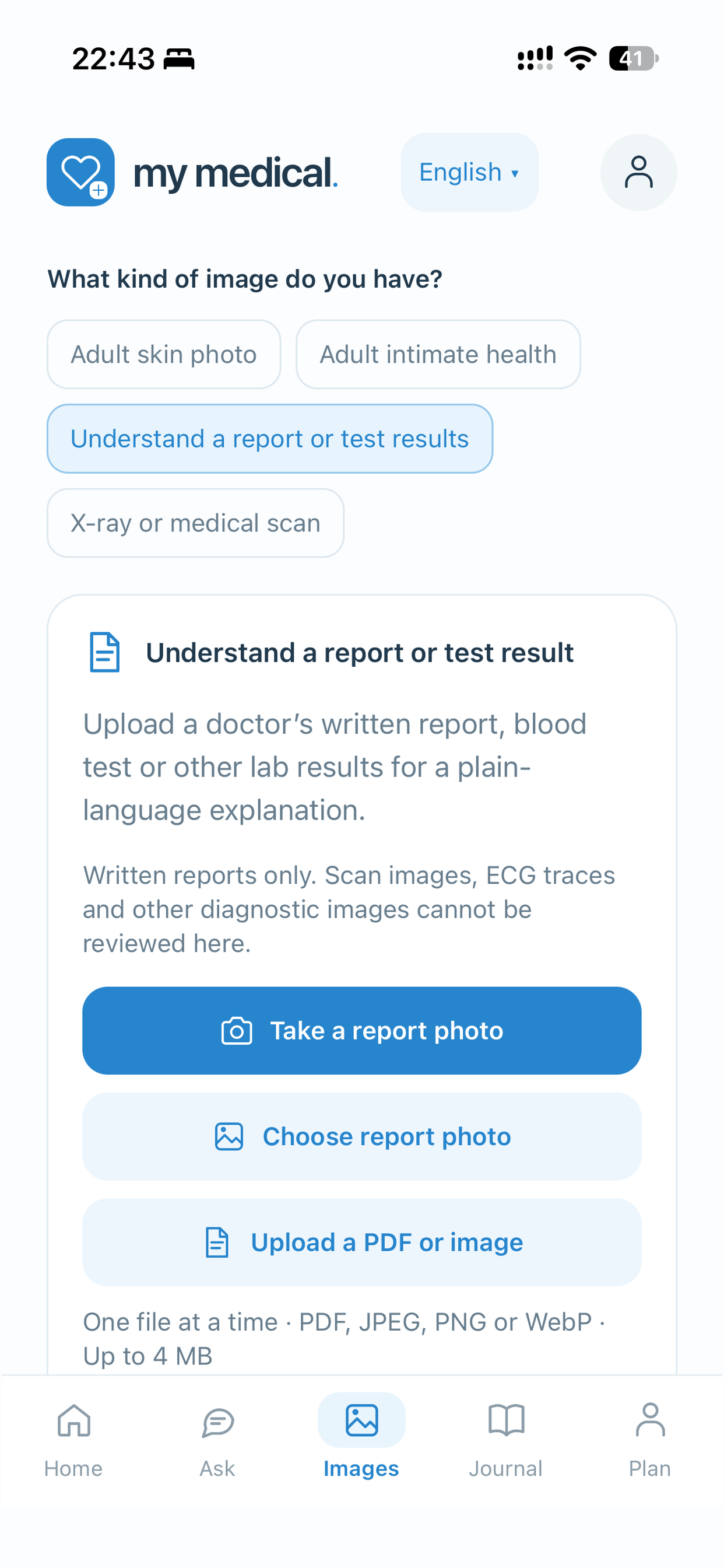
Written-report explanations help unpack wording and prepare questions. General health conversations and supported photo notes are additional features.
Text history is saved in an encrypted journal on the same phone. Photos and uploaded files are excluded from the journal, and there is no journal cloud backup. On Android, supported reports can also be saved in a separate encrypted report library.
Plan shows subscription status and remaining requests. Account controls provide account deletion; the website also offers an email deletion route.
See account-deletion controls and instructions →A purpose-built place to prepare
General AI tools cover many subjects. My Medical brings written-report explanations, appointment questions and a local text journal into one health-information workflow. A focused experience helps you move from confusing wording to organised questions and useful notes. On Android, the AI Health Coach builds on that workflow with context you select.
Explore difficult terms in supported written reports and identify questions to clarify with your healthcare professional.
Bring organised questions and notes to the conversation, with reminders to check medical decisions with a qualified professional.
Return to saved text on your phone. Use the in-app reporting option if an explanation seems incorrect or unsafe.
My Medical plans
Compare all three plans below. My Medical is live on the App Store and Google Play. All three plans are available on Google Play. The current public iPhone app offers Plus monthly.
For occasional questions
20 AI requests per calendar month
Health questions, supported report explanations and appointment preparation, with a smaller monthly allowance.
Available on Google Play
Billed monthly. Renews unless cancelled through Google Play.
Get it on Google PlayMore room for questions
100 AI requests per calendar month
Our Plus allowance with monthly billing. Explore health information, written reports, wellbeing conversations and eligible adult photo notes.
Available on both stores
Billed monthly. Renews unless cancelled through your store.
Download My MedicalPlus, paid yearly
100 AI requests per calendar month
The same Plus allowance, billed once a year. Requests reset monthly; they are not a pooled annual allowance.
Available on Google Play
Billed yearly. Renews unless cancelled through Google Play.
Get it on Google Play| Country / currency | Light / month | Plus / month | Plus / year |
|---|---|---|---|
| New Zealand · NZD | NZ$4.99 | NZ$9.99 | NZ$79.00 |
| Australia · AUD | A$4.99 | A$9.99 | A$79.00 |
| Canada · CAD | CA$4.99 | CA$9.99 | CA$79.00 |
| United States · USD | US$4.99 | US$9.99 | US$79.00 |
Prices above use each country’s own currency. Monthly Plus prices are for new subscriptions. Light and Annual are available on Google Play; App Store plan choices depend on the released iPhone version. The store confirmation shows the final local price, tax treatment and any offer before payment.
Included features depend on your app version, age and supported country. The AI Health Coach and encrypted report library are included on Android. There is no separate Premium subscription.
Download and introductory access: The app is free to download. Eligible Android accounts receive one free first AI explanation, then need a paid plan for further requests. The current iPhone app requires an eligible Plus subscription for AI responses. The free explanation is not a timed trial or recurring free allowance.
Allowance: One accepted paid AI request counts once, including a photo, report or follow-up question. An accepted attempt may still count if the provider later fails. Allowances reset at 00:00 UTC on the first of each month, independently of your billing date. Unused requests do not carry over; new AI requests pause when the allowance is used. Annual Plus has a monthly request allowance, not a yearly pool.
Renewal and cancellation: Monthly plans renew monthly; annual Plus renews yearly when offered. Cancel through the store used to purchase. Use Plan → Manage subscription or Restore purchases to check access. Deleting your app or account does not cancel renewal.
Account changes and refunds: Cross-platform transfer and Family Sharing are not advertised as included. If access is pending, contact support before buying again. Refund requests go through the store used to purchase; applicable consumer rights continue to apply.
Read subscription terms →Clear information. Informed choices.
Account details, declared age/country and usage counts help operate the service. Health questions and supported uploads you choose to send are processed by OpenAI after consent. Remove unnecessary identifying information.
The account database is hosted by Supabase in Sydney. OpenAI processes AI requests; Brevo delivers sign-in email; Cloudflare hosts pages and sign-in checks; RevenueCat and Apple or Google handle purchase verification; Gmail handles support. Processing can occur outside your country.
Your text journal is encrypted on the phone, with no cloud backup. Ordinary conversations and uploads are not intentionally saved in the app’s backend database. Provider safety retention still applies; this is not a zero-retention service. Response complaints you choose to submit are normally kept for 30 days, with longer holds where needed for a complaint.
Delete notes in Journal or request account deletion in the app or by email. Uploaded photos and files are not kept in the journal. Device originals, provider records and store purchases have separate deletion or retention rules.
OpenAI’s API policy says content is not used for model training by default unless the customer opts in. Safety monitoring is separate: standard abuse-monitoring records may be retained for up to 30 days, with exceptions. Read the provider’s data controls.
The app uses secure device storage for sign-in credentials, an encrypted local journal, account checks and a browser security check before email sign-in. These controls do not guarantee that every risk is eliminated. The privacy notice explains processing and retention in detail.
Release checks cover sign-in, access rules, purchase restoration, report handling, saved text and responses to urgent or unsupported requests. Device testing and response checks do not establish clinical accuracy or guarantee a safe answer in every case. Urgent prompts can direct users to human help; no clinician or crisis team monitors conversations.
This website does not claim independent clinical certification. We will identify advisers and dated formal reviews only when their roles, evidence and permission to be named are confirmed.
Answers before you begin
An AI-powered educational app from Trustwell Safety that explains health wording and helps you prepare questions for a healthcare professional. My Medical is available on the App Store and Google Play.
People who want help understanding written health information and preparing for appointments, in supported countries and age groups. It does not provide a clinician consultation.
It can explain terminology and wording in a supported written report, including a reference range stated in the report. It cannot confirm a diagnosis or determine that you are healthy. Your symptoms, history and other findings matter; discuss results with your healthcare professional.
Contact your local emergency service or seek urgent in-person care. Do not wait for an AI reply, a photo review or an email response. No clinician or crisis team monitors app conversations.
The app supports written report text and one PDF or JPEG, PNG or WebP file at a time, up to 4 MB. Remove unnecessary identifiers and only share material you have permission to use. The consent screen explains where the content goes before you send it.
No. X-rays, diagnostic scans and ECG traces cannot currently be assessed. Explaining the wording of a written radiology report is different from interpreting the scan itself. The AI Health Coach uses selected written-report notes and optional health history.
The AI Health Coach and encrypted report library are available in the current Android app. The public iPhone app offers health conversations, written-report explanations and the text journal; features depend on your installed version.
In the Android app’s report library, saved report copies and notes are encrypted on the phone, separately for each account. It does not provide app cloud sync or recovery. Keep originals: losing the phone, removing the app or losing the encryption key can make the library unavailable. Browser previews keep information only for the current session.
You choose up to three checked report notes and whether to include saved history. With consent, the current question, selected titles, dates, notes, optional saved history and response language go through our backend to OpenAI. App versions that support conversational follow-ups may also include up to eight recent messages in that same conversation. Unselected reports, original files and prior sessions are not included in that coach request. AI-drafted notes must be checked against the original. This is educational support, not diagnosis, treatment management or health monitoring.
On Android, the Coach is included in the Light and Plus plan allowances. Each accepted coach question counts as one AI request. Saving or organising the local library does not itself use an AI request. There is no additional Coach subscription. Check the app’s Plan screen for your allowance and available plans.
Eligible adults aged 18+ can use supported photo features for descriptive notes about visible skin features. These notes cannot diagnose a condition or rule out a serious problem. Availability and consent requirements are shown in the app.
Account details, age/country declarations and usage counts support access and billing. Content you choose to send is processed by OpenAI. Text history is stored in an encrypted journal on your phone; uploaded photos and files are not saved in that journal. Provider processing and retention still apply. Read the full privacy notice.
OpenAI states that API content is not used to train its models by default, unless the customer opts in. This is separate from retention for abuse monitoring and safety. See OpenAI’s API data controls and our privacy notice.
Use Delete my account in the app’s account controls, or follow our email deletion instructions. You can also delete individual journal entries or request deletion of selected account-linked data. Provider records may have separate retention. Cancel store renewal separately.
The full range is Light at $4.99 per month for 20 AI requests per calendar month, Plus at $9.99 per month for 100, and Plus Annual at $79 per year with 100 requests per calendar month. Amounts are in NZD, AUD, CAD or USD in the corresponding country. All three plans are available on Google Play. The current public iPhone app offers Plus monthly. Download the app free and check the plans actually offered in your installed version. Supported features include health conversations, written-report explanations, appointment preparation, eligible adult photo notes and the local text journal. See full pricing details and availability.
Light includes 20 requests per calendar month; both Plus plans include 100. Each accepted paid AI request counts once, including a report or photo request and each follow-up question. A request accepted for processing can count even if the provider later fails. The allowance resets at 00:00 UTC on the first of each month, even on an annual subscription. Unused requests do not carry over. At the limit, new AI requests pause until the reset. Check Plan for remaining requests and contact support about failed requests.
My Medical is available through the App Store and Google Play in supported countries. It is available in New Zealand, Australia, Canada and the United States. Language choices and feature access depend on the installed version and country; check the app and your local store listing. This is not a claim of worldwide availability.
The service has a self-declared 16+ age requirement for eligible written features, subject to higher store or local requirements. All body-photo features are 18+ and must not contain anyone under 18. Self-declaration is not independent age verification. The app does not provide a verified parental-consent service.
The app is free to download. Eligible Android accounts receive one free first AI explanation before a paid plan is required for further requests. A failed free explanation can be retried. The current public iPhone app requires an eligible Plus subscription for AI responses. No timed subscription trial is advertised. Check the Plan screen and store confirmation before subscribing.
Cancel renewal through the Apple or Google account used to buy it. In the app, use Plan → Manage subscription or Restore purchases. Deleting the app or account does not cancel renewal. If a purchase is pending, check status and contact support before buying again.
Cross-platform transfer and Family Sharing are not advertised as included benefits. Do not assume a purchase can be restored using a different store or app account. Contact support before changing accounts or buying a second subscription.
Use the refund process of the store where you purchased. Contact support if access does not match your purchase. Applicable consumer rights continue to apply; store policies and local law determine the available remedies.
Stop relying on it and seek appropriate professional advice. Use Report response in the app to review and submit the excerpt you choose, or email a brief description without identifying health details. Reports do not receive immediate clinical review.
Email support@trustwellsafety.co.nz. Use “Privacy”, “Security”, “Safety” or “Technical” in the subject and include your app version and a brief description. Do not email medical records, passwords, login codes or card details. Support and reporting instructions.
TRUSTWELL SAFETY LIMITED, a New Zealand software development company, company number 9347523, NZBN 9429052891755. The app provides AI-generated information; it is not a clinic or a medical consultation service.
A clearer start
Explore health information, understand written reports and prepare questions for your healthcare professional.
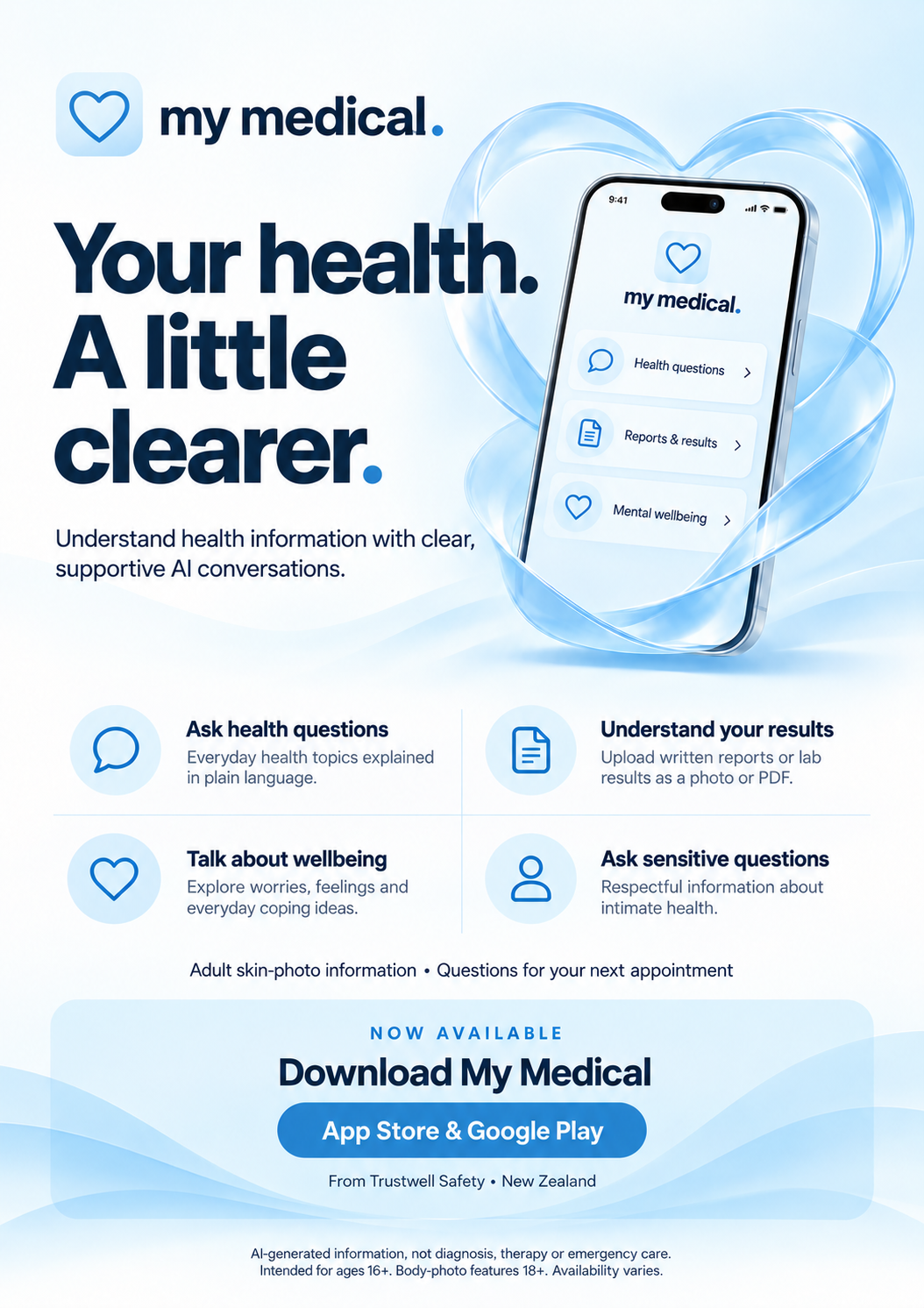
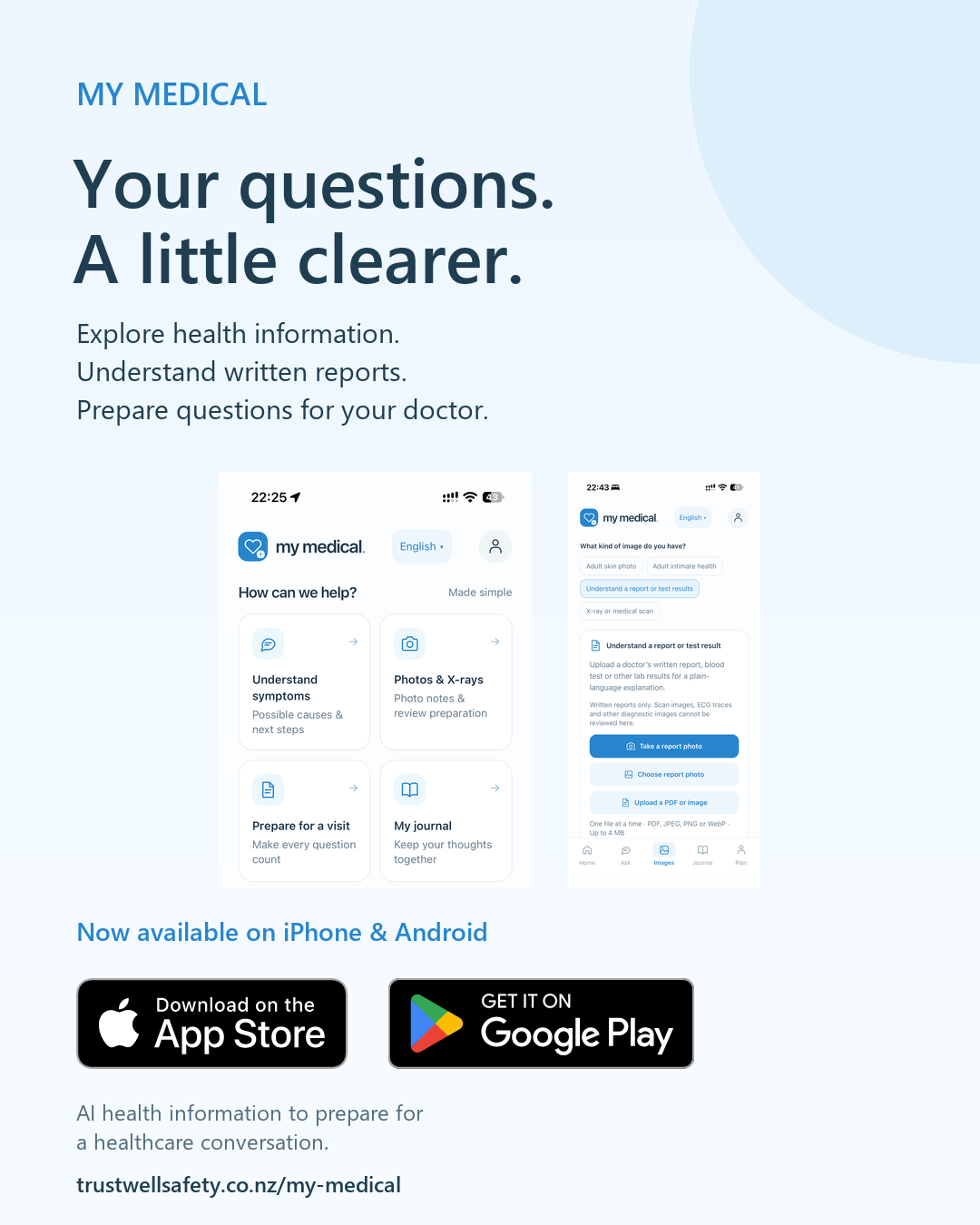
My Medical is live on the App Store and Google Play. Save or share our updated poster below.
Start with your question
Download the app, sign in and explore the access and plans offered in your local store. Ask in your own words and review the consent step before sharing health information.
Need help getting started? Contact My Medical support. Downloading does not subscribe you; your store asks you to confirm any purchase.
Available now · iPhone & Android
Available in New Zealand, Australia, Canada and the United States. Download My Medical from the App Store or Google Play. Explore health information, understand written reports and prepare questions for your healthcare professional.
Free to download. Eligible Android accounts receive one free first explanation, then choose a paid plan. The current iPhone app offers Plus monthly. Your store confirms any purchase; downloading does not subscribe you.
The company behind My Medical
A software development company creating apps and digital tools, including My Medical.
TRUSTWELL SAFETY LIMITED
Company 9347523 · NZBN 9429052891755
Product, privacy and security enquiries:
support@trustwellsafety.co.nz
Support is not continuously monitored or a medical service.
Stay connected
Follow My Medical.
App walkthroughs, everyday health questions and updates from My Medical, by Trustwell Safety.
Please keep personal health information out of public comments and social messages.